
README.EN.md 1.7 KB
Cursor Pro Automation Tool User Guide
README also available in: 中文, Tiếng Việt
Features
Automatic account registration, automatic token refresh, hands-free operation.
Download
https://github.com/chendeben/cursor-auto-free/releases
Important Notes
- Please ensure Chrome browser is installed. If not, click here to download
- Account login is required, regardless of whether the account is valid or not
- Stable network connection is needed, preferably using foreign servers. Do not enable global proxy
How to Run
Mac Version
- Open terminal and navigate to the application directory
Run command to make the file executable:
chmod +x ./CursorProRun the program:
In terminal:
./CursorProOr double-click in Finder
Note: If you encounter the following issue; Solution

Windows Version
Simply double-click CursorPro.exe to run
How to Verify if it Works
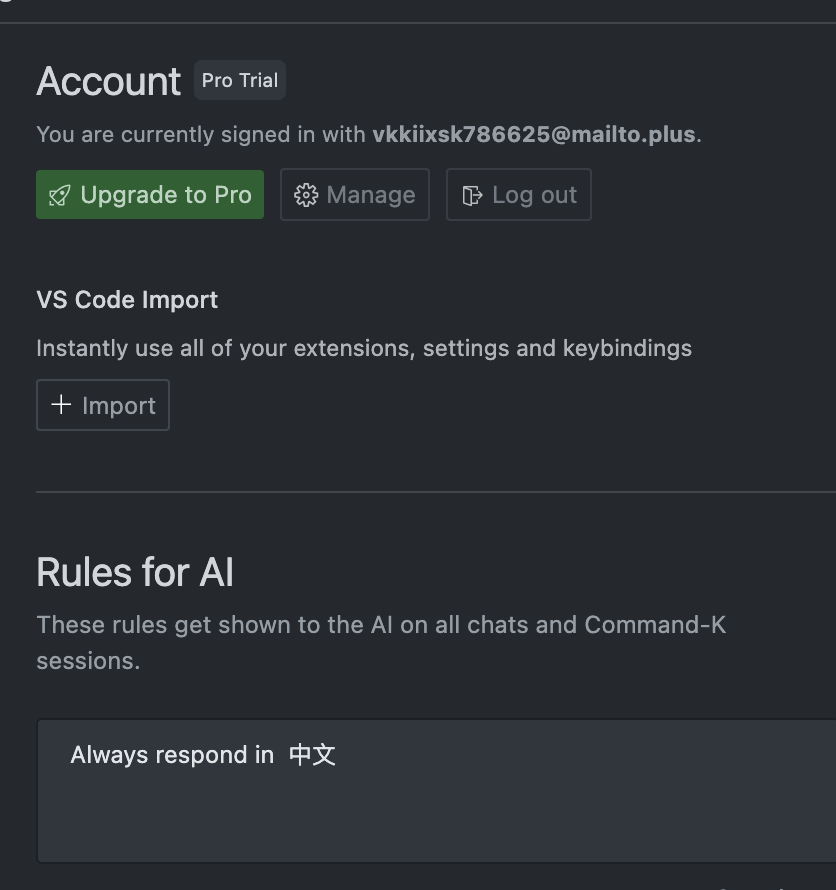
After running the script, restart your editor. You'll know it's working when the account shown in the image below matches the account in your script's output log.
This project is modified from gpt-cursor-auto. The email retrieval part has been modified with a built-in email system API, eliminating the need for email configuration and automatically using temporary emails for verification codes.
Update Log
- 2025-01-21: Removed configuration requirement